Run a pen plotter from your iPhone.
Snap a worksheet, type a note, or send a stack of thank you cards. Inkplot 2.0 writes every word with a real pen.
 Coming soon
to the App Store
- Fully assembledPlug it in and go
- Real pen, real inkAny pen up to 17 mm wide
- Runs from your iPhoneWith the Inkpilot app
- Free shippingOn orders over $250
Here's what it does.
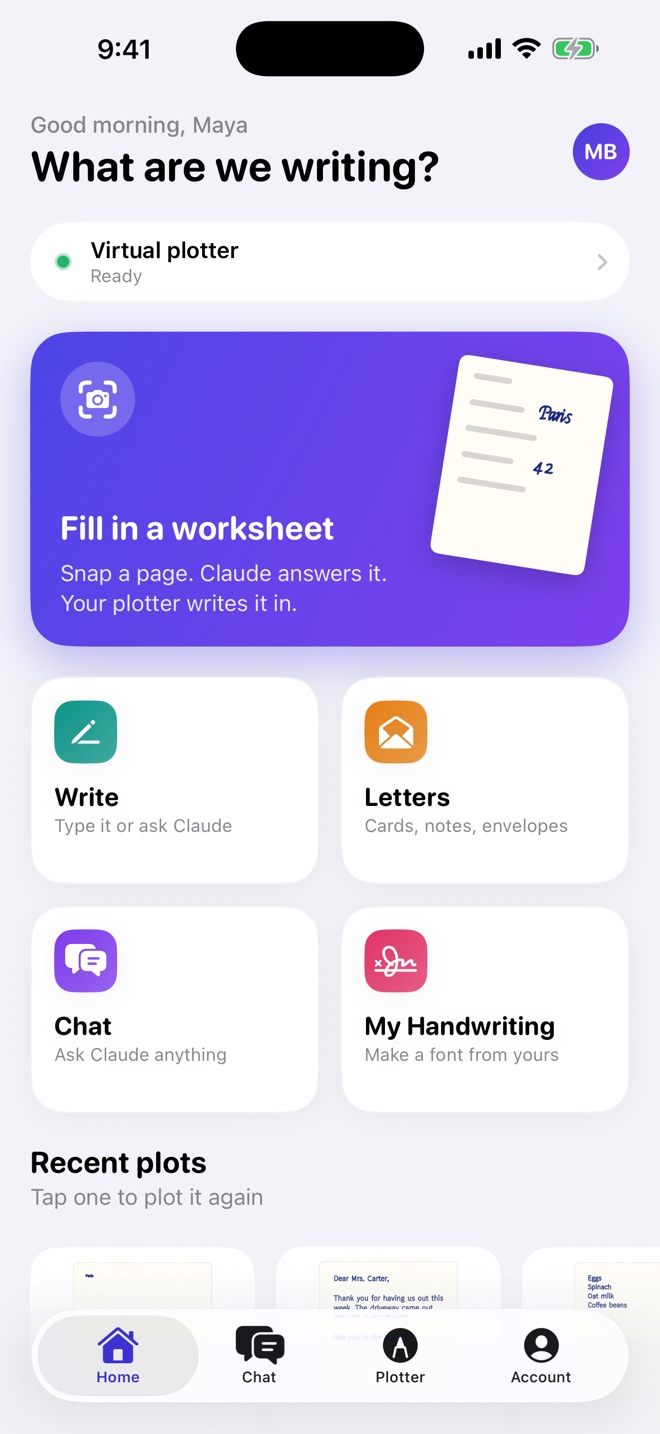
The Inkpilot app tells the plotter what to write. These are real screens from the app.
-
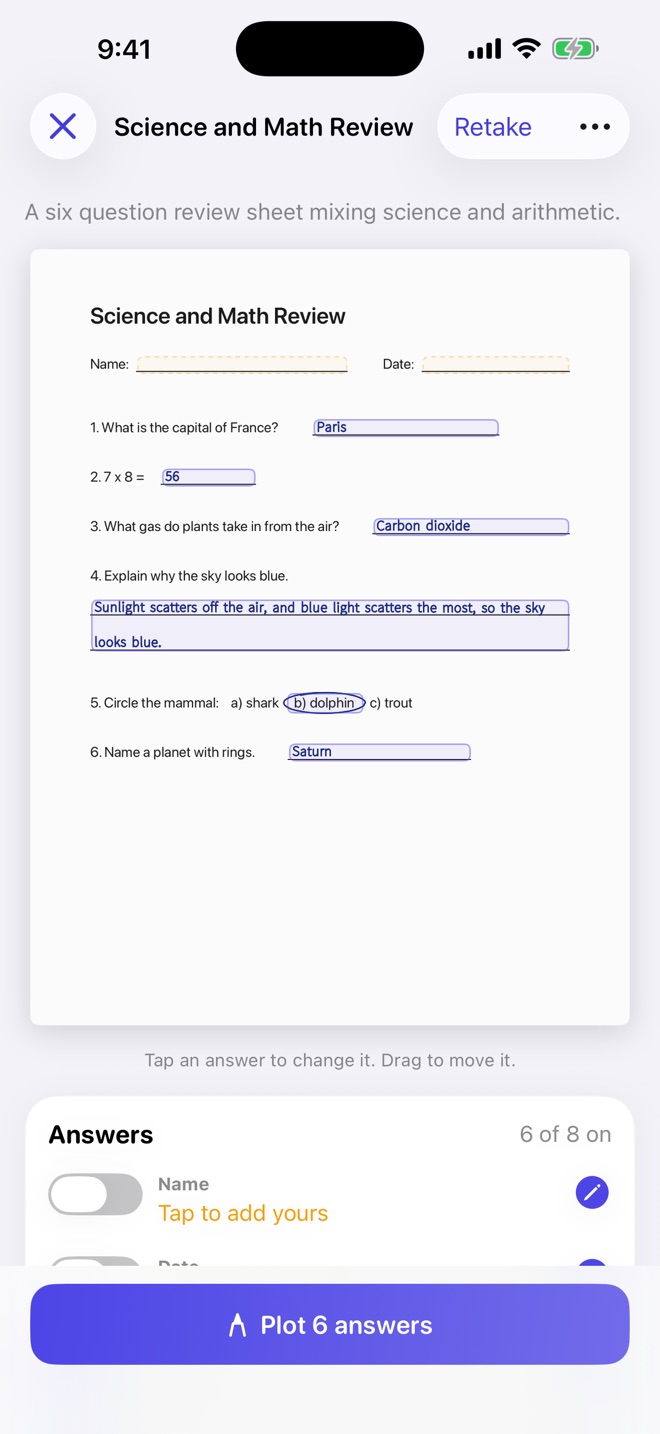
Snap a worksheet. Claude fills it in.
Claude reads the page and works out every answer. You check them on your photo before the pen touches paper.
-
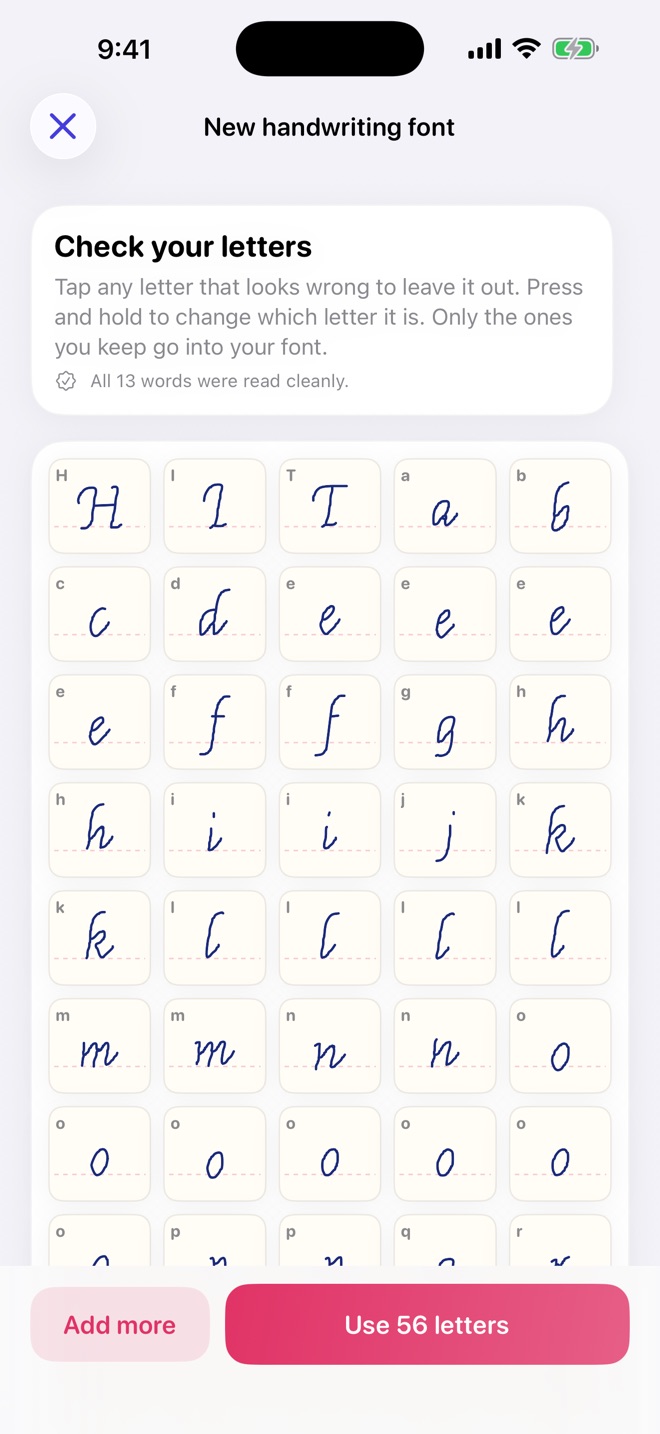
Write it in your own handwriting.
Take photos of your handwriting and the app turns them into a pen font. The photos never leave your phone.
-
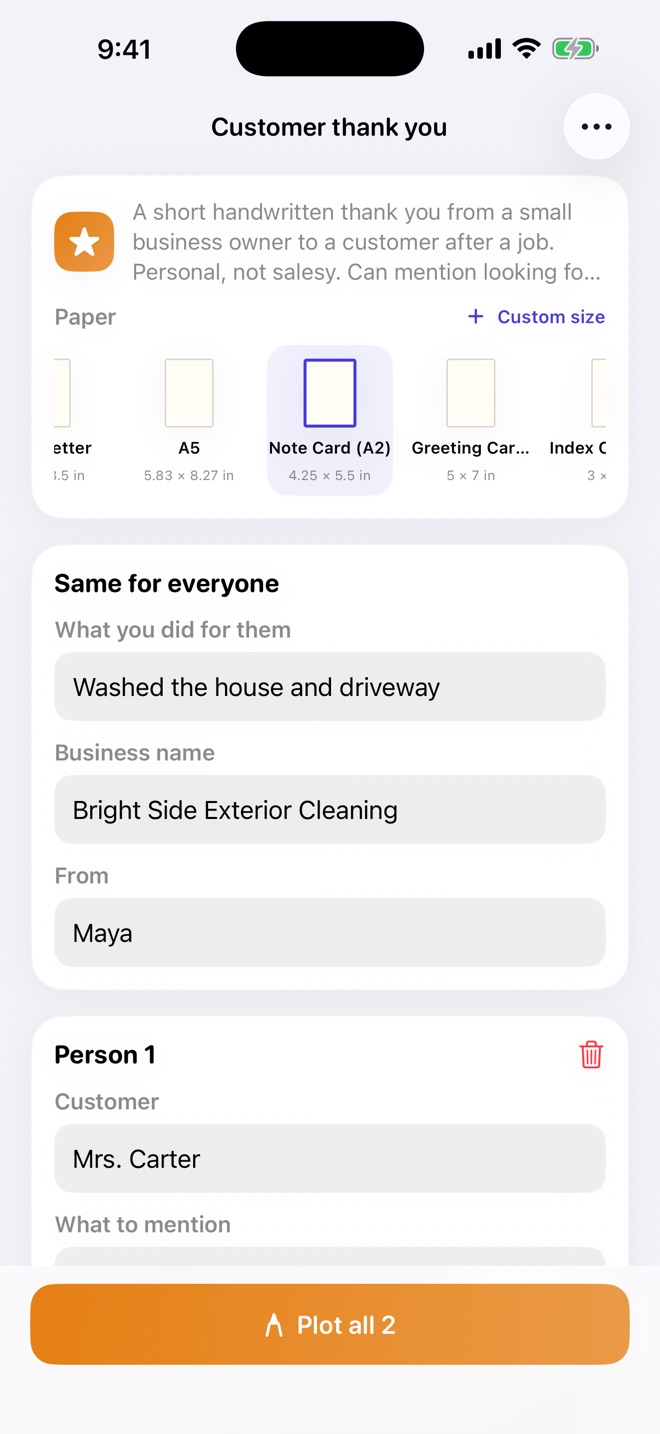
A stack of cards, plus the envelopes.
Start from a template like Thank you or Birthday, send it to a whole list, and address the envelopes too.
-
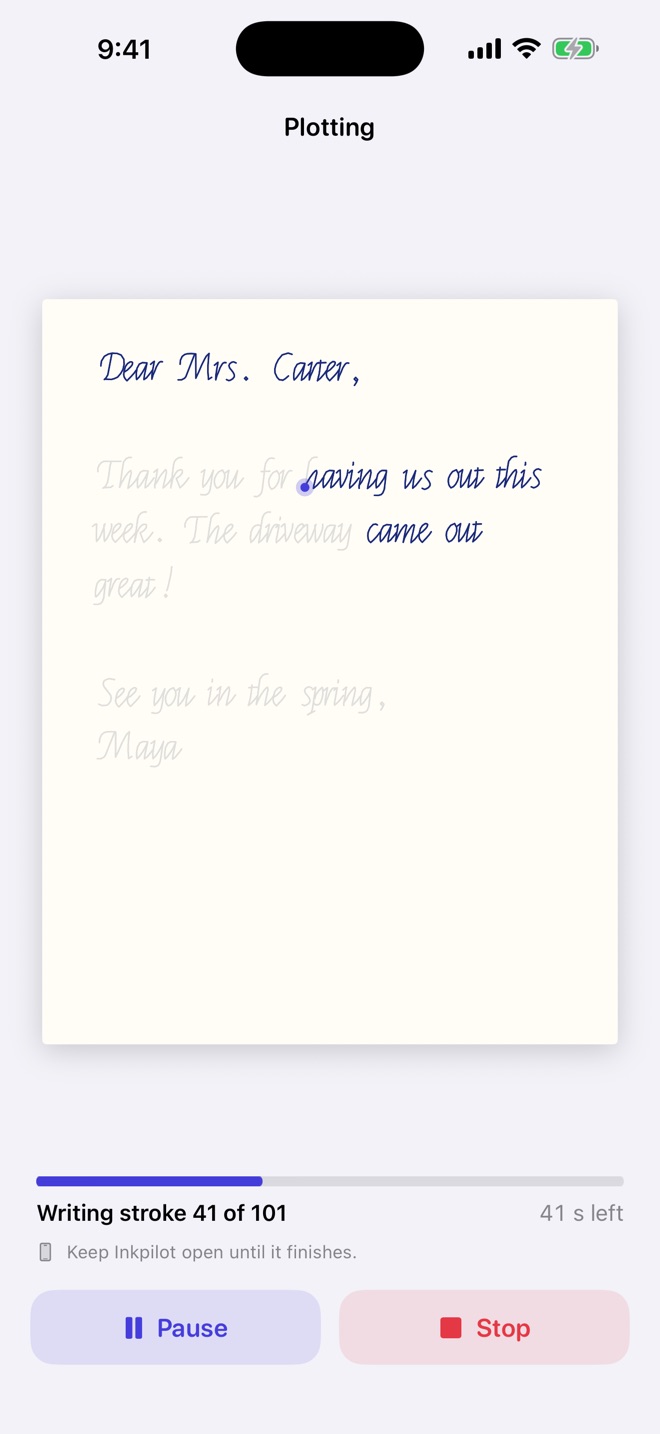
Run the whole thing from your phone.
Start, pause, or stop any plot and watch it draw stroke by stroke. Nudge the pen with arrow buttons.
Swipe for more
Meet Inkplot 2.0.
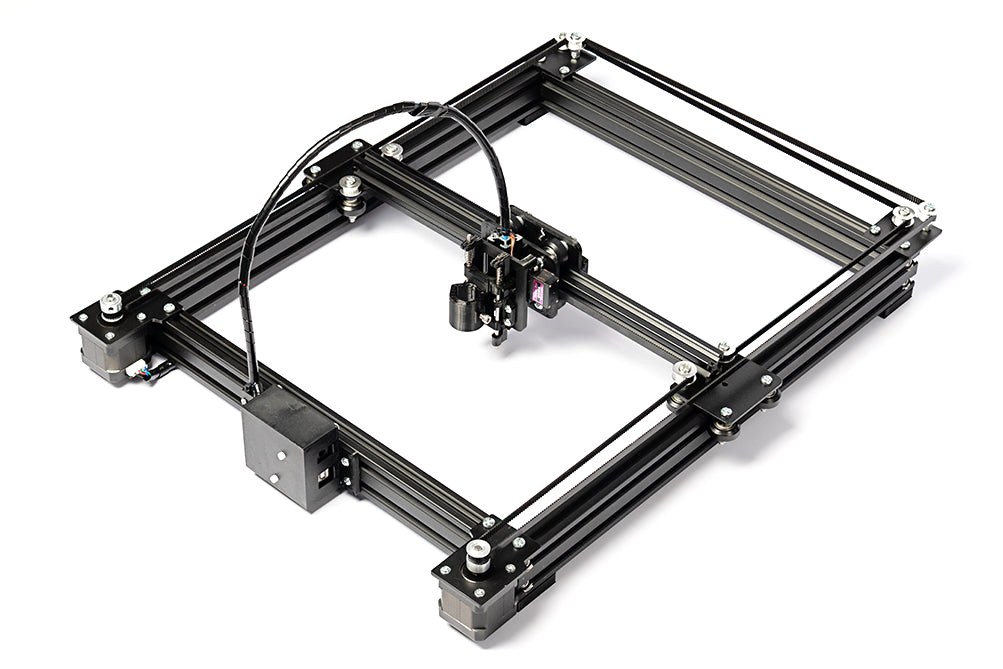
A pen plotter built on a full aluminum frame, so it stays steady while it writes. It shows up fully assembled.
- Writes on paper, notebooks, envelopes, and card
- Holds any pen up to 17 mm wide
- Drawing area of 230 × 317 mm, about 9 × 12.5 inches
- 3 months of the Inkpilot app come with it
Set it up in 3 steps.
This is the Wi-Fi model, which doesn't need a computer. The pen plotter runs through the free Inkpilot Bridge on your Mac.
- 01
Plug it in
Plug the Wi-Fi box into the plotter's USB port, then plug in the box's power and the plotter's power.
- 02
Join the box's Wi-Fi
The box makes its own Wi-Fi network. Point your iPhone camera at the QR code on the box to join it.
- 03
Open Inkpilot and plot
Tap Connect in the Plotter tab, pick what you want written, and hit Plot.
What owners say.
Questions.
How long does delivery take?
Delivery usually takes 15 to 25 business days. You'll get a tracking number by email once it ships. Shipping is free on orders over $250, and US import duties are already paid.
Which model should I get?
If you don't have a Mac, or you don't want a computer involved at all, get the Wi-Fi model. If you have a Mac and you're fine plugging the plotter into it when you plot, the pen plotter costs less.
Does it need internet?
Plotting doesn't. With the Wi-Fi model, your phone talks straight to the box, so you can plot away from home Wi-Fi. The Claude features in the app, like Fill and Write, need an internet connection.
Can I return it?
Yes. You have 30 days from delivery. Email us first, then send back everything that came in the box. The return policy has the details.
When can I get the app?
Inkpilot is coming soon to the App Store. It runs on iPhones with iOS 17 or later.
Inkpilot is on the App Store now. It runs on iPhones with iOS 17 or later.
Get Inkplot 2.0.
Free shipping on orders over $250, 30 days to return it, and 3 months of the app free.